How to Synchronize Your Flowtoys Clubs. Complete Guide
Flowtoys clubs have become a staple for jugglers and flow artists around the world. Their stunning visual effects and innovative features make them a unique experience. One of the most notable features is the ability to sync (or pair ) multiple clubs together, enabling wireless communication for perfectly coordinated performances. Discover in this guide how to sync your Flowtoys clubs to take your shows to the next level.
Why Synchronize Your Flowtoys Clubs?
Synchronizing your Flowtoys clubs has many advantages:
- Coordinated Visual Effects : By synchronizing your clubs, you create harmonized light patterns that captivate your audience.
- Simplified Control : With pairing, you can control all your clubs simultaneously, either with one of them or with a remote control.
- Professional Experience : A synchronized performance reinforces the professionalism of your show and offers total immersion to the spectator.
Preparation: Make Sure Your Clubs Are Ready
Before you begin the synchronization process, it is essential to prepare your clubs:
- Fully Charge Your Clubs : A full battery ensures the process won't be interrupted. To check the charge level, turn on the club; a green light indicates a full battery, while red means it's discharged.
- Turn Off All Clubs : Press and hold the button on each club until it fades out.
- Place Clubs Close to Each Other : For effective wireless synchronization, keep clubs close to each other.
Quick Grouping: Synchronize Your Clubs with Ease
Quick Grouping is the easiest way to sync your Flowtoys clubs. Here's how:
Step 1: Initiate Quick Grouping
- From the off state , press and hold a club button.
- You will see several light indicators scrolling by (for example, battery level).
- After about 10 seconds , the club will start flashing white.
- Release the button when it flashes white; the club will then turn solid white, indicating that it is broadcasting its group ID.
Step 2: Add More Clubs to the Group
- Repeat the same process with each additional club.
- Make sure to do this step while the first club is still solid white, so they all sync to the same group.
Step 3: Finalize the Grouping
- Once all clubs display a solid white light, short press the button on one of them to exit grouping mode.
- Your clubs are now synchronized and ready to be used together.
Tip : If you accidentally press the button during the grouping process, you will need to start over, as this may interrupt the sync.
Video explaining Quick Grouping
Here are two videos from Flowtoys that explain how to group clubs. The videos are in English only, but cover exactly what I explained above. The first video is quick and effective, while the second, longer video provides more examples and context.
Advanced grouping
I won't explain the "advanced grouping" method here for now, as it's not essential unless you want to use specific features. This technique is useful if you want to create a temporary group or join someone else's group. For example, if you're passing with someone who also uses Vision clubs, you can create a specific group for that session, without changing your usual group or your personal settings. I'll still leave you with two videos from Flowtoys that cover this feature. The videos are in English only.
flowOS :: Advanced Grouping p5m1 - Using Open Groups for Temporary Grouping
flowOS :: Advanced Grouping p5m1 - Adding and Removing Lights in a Closed Group

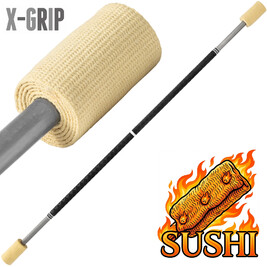
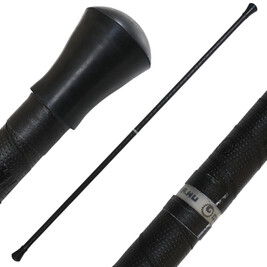
Geryon contact fire staff
Contact staff equipped with X-GRIP. Kevlar: 100mm.
Length: 1m50.
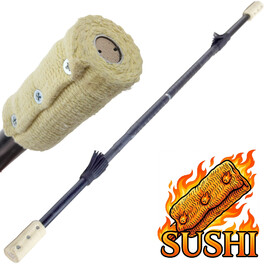
Fire contact staff - Gora
Staff Contact fire. Aluminum 7075. Kevlar: 100mm.
Length: 1m50.
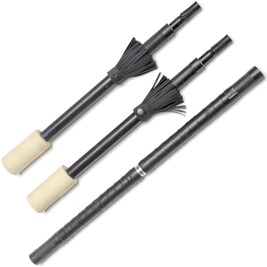
Removable fire contact staff, aluminum or carbon fiber
Gora removable contact staff, 7075 aluminum. Kevlar: 100mm.
Length: 1.50m.
Comments
!Be the First to comment!
